


Jerusky ירושמיים
4.037.00 Reviews
App Specs
- Version
- 2.6.20-prod
- Updated On
- License
- Free
- Downloads
- 100,000+
- Developer
- 02ws.co.il
- Categories
- Weather
- Platform
- Android
Screenshots

 Analysis by AppCompare
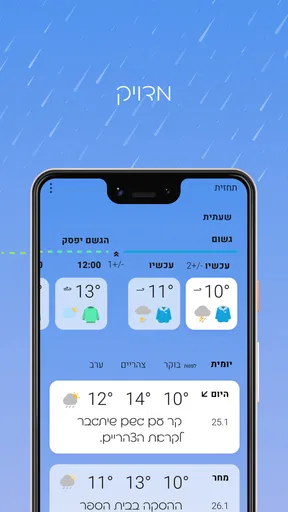
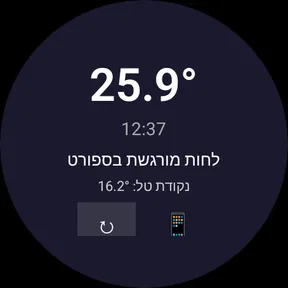
Checking the weather in Jerusalem sounds simple until you need an answer quickly and the usual weather apps bury it under worldwide maps, long forecasts, alerts, and locations you never use. Jerusky ירושמיים takes a narrower approach: it is a weather app centered on an online Jerusalem weather station. In my experience, that focus is its main reason to exist. Instead of treating Jerusalem as one entry in a huge catalog, it puts the local question first: what is happening there now, and is it worth changing my plans?
That makes it especially useful for someone who lives in Jerusalem, visits regularly, follows conditions there for family or work, or simply wants a quick local check without navigating a large forecasting service. It is free to install, aimed at Everyone, and developed by 02ws.co.il. The app has built a modest audience, with more than one hundred thousand installs and an average score of four out of five from roughly two thousand ratings. Those figures suggest a practical tool with a recognizable local purpose rather than a universal replacement for every weather service.
A focused answer to a repeated weather question
The recurring problem this app removes is not necessarily a lack of weather information. It is the small amount of effort required to reach the information you actually want. In a broad weather app, I may have to open the right location, dismiss a promotional panel, move past a map, or interpret several forecast layers before deciding whether to carry a jacket. A Jerusalem-focused station can make that routine much shorter.
I would judge this app less by how many screens it offers and more by whether it saves time during ordinary decisions. If I am leaving home soon, checking conditions before a walk, or deciding how to dress for an appointment across the city, a focused local display is more convenient than a global weather dashboard. That convenience is also the app’s trade-off: it is valuable because it stays narrow, not because it tries to cover every possible weather need.
The store’s short description uses the name “Jerusky ירושמיים,” while the longer summary presents it as a Jerusalem online weather station. That distinction matters. I would approach it as a local observation utility first, not automatically as a complete replacement for a national forecasting service. A station can be excellent for understanding current local conditions while a larger app may be better for planning several days ahead, checking another city, or comparing multiple forecast models.
What I would use it for first
My first test would be a simple one: open the app when I need a fast local reference and see whether the information is immediately understandable without extra searching. A good setup for this kind of tool is not about customizing dozens of preferences. It is about making the local view part of a repeatable habit. I would place it alongside my other daily tools and use it at the moments when weather affects a decision, rather than opening it only when a storm is already obvious.
The app runs on devices using Android seven or later, so older phones that still meet that requirement may be able to use it. Its current version is 2.6.20-prod, which is useful context for anyone comparing it with an older installation or troubleshooting an outdated copy. Because the app is free, trying it carries little commitment, although optional in-app purchases range from less than one dollar to twenty dollars per item. I would check the purchase screen carefully before confirming anything, particularly if I only want the basic weather view.
Worth Reading Before You Choose

EA SPORTS FC Mobile 26 Is a Bigger Football Game, but It Takes Time

Flipboard Shows What News Apps Must Do Beyond the Feed

Switching to Android Auto Means Rethinking Your Driving Routine

Google Calendar Makes a Crowded Week Easier to Manage

Ludo King Makes the Most of the Minutes Between Plans

Baby Panda World Brings Quick Play to Modern Phones, but Its Game Library Feels Busy
One practical setup tip is to decide what question the app should answer for you. If the question is “What are conditions like in Jerusalem right now?” it fits naturally. If the question is “What will the weather be throughout a trip across several regions?” I would keep a broader service available as well. Defining that boundary prevents disappointment and makes the focused design feel like an advantage instead of a missing feature.
Using it during an ordinary Jerusalem day
Imagine that I am preparing to leave in the morning and have a choice between walking, taking public transport, or driving. I do not need a long meteorological explanation; I need a quick local indication before I choose clothing and timing. A Jerusalem station is useful here because the information is tied to the place that controls the decision. I can check it before leaving, then repeat the check later if the day becomes uncertain.
The same workflow helps before an outdoor appointment. I might be deciding whether to bring something warm, whether a short walk is comfortable, or whether to rearrange an errand. The app’s value is not that it makes the decision for me. It reduces the number of steps between opening a weather tool and forming a sensible plan. That is a small benefit, but it is exactly the kind of benefit I notice when repeated every day.
It can also serve people who are not physically in Jerusalem. Someone arranging a visit, checking on relatives, or coordinating an outdoor activity can use a local source rather than relying only on a general forecast page. In that situation, the app’s narrow identity is helpful: I am less likely to accidentally inspect the weather for the wrong place after switching between saved cities.
A useful habit is to compare the app’s local reading with what I can see outside, especially when the weather is changing quickly. That does not mean treating one glance as a scientific guarantee. It means learning how the station’s information fits my own route and timing. Conditions can feel different between exposed and sheltered areas, and a single local reference may not represent every street equally. The app helps with orientation; common sense still matters.
Where the focused design saves friction
The clearest advantage is reduced location hunting. A worldwide weather app is built for breadth, while this one is built around Jerusalem. For a user whose main interest is that city, the narrower scope can make the routine feel cleaner. I do not need to maintain a long list of places simply to return to the one location I care about most.
There is also a mental benefit. Broad weather apps often encourage me to browse: hourly charts, radar views, extended forecasts, air-quality panels, and weather news can all be useful, but they can also turn a ten-second check into a small research session. A local station encourages a simpler behavior. I open it with a specific purpose, read what I need, and move on.
That simplicity is particularly helpful on a phone with limited storage or an older operating system. Since the app supports Android seven and newer, it may be a reasonable option for someone who does not want to replace a familiar device just to run a modern weather package. I would still judge performance on the individual phone, because age, connection quality, and system behavior can affect any online tool.
Another non-obvious strength is that the app can become a reference point rather than a source of constant notifications or forecast anxiety. I can choose when to check it instead of letting weather information interrupt the day. For people who want a local answer but dislike oversized dashboards, that restraint may be more valuable than a long feature list.
How it compares with broader weather alternatives
Compared with a general weather app, this one wins when the location is fixed and the desired action is immediate. A broad alternative is better when I need several cities, travel planning, long-range comparisons, severe-weather information across regions, or a richer set of visual tools. I would not install this expecting it to replace every weather app on my phone.
Compared with searching the web for Jerusalem weather, a dedicated app can reduce repeated typing and make the check feel more consistent. The trade-off is flexibility: a search engine can quickly lead me to many sources, while a focused application gives me one local destination. I prefer the app when I already know what I want and do not want to sort through results.
Compared with looking out of the window, the app adds a useful reference before I step outside, but it cannot account perfectly for every microclimate or personal comfort level. I would use the two together. The screen tells me what the station reports; the street tells me whether the conditions match my route. That combination is more sensible than expecting any single weather display to settle every decision.
Small details worth considering before relying on it
The free entry point makes experimentation easy, but the presence of in-app purchases means I would pay attention during setup and use. The available purchase range goes from $0.99 to $19.99 per item. I would not assume that paying is necessary for the basic purpose of checking Jerusalem conditions, and I would avoid buying anything merely because a prompt appears. First I would see whether the free experience already solves my recurring problem.
The Everyone content rating also makes the app broadly approachable for households, although that label does not tell me whether the interface will suit every age or technical comfort level. For a less experienced phone user, the focused subject may be easier to understand than a crowded weather platform. For an advanced weather enthusiast, the opposite may be true if they expect detailed layers, specialized forecasts, or extensive customization.
The developer is 02ws.co.il, and the app has been available since August 2014. That long presence gives it the feel of an established local utility rather than a newly launched experiment. Still, longevity alone does not guarantee that it matches modern expectations on every phone. I would install it, check how quickly the current information appears, and decide based on that direct experience rather than on its age or its rating alone.
A further practical tip is to treat it as a “decision checkpoint.” Check once before leaving, then only check again when your plans or the weather situation genuinely change. This avoids wasting time refreshing a local source without a clear purpose. The app is most effective when it replaces a repeated search, not when it becomes another feed to monitor constantly.
Who should choose it, and who should skip it
I would recommend it to Jerusalem residents who want a quick local weather reference, visitors who repeatedly need conditions for that city, and people who prefer a focused utility over a feature-heavy forecast platform. It also makes sense for anyone using an older compatible Android phone and looking for a lightweight way to keep Jerusalem weather close at hand.
I would be more cautious if your life involves multiple locations. Travelers moving between cities, commuters crossing regions, outdoor professionals, and users who need detailed planning tools will probably get more value from a broader weather service. The same applies if you want a single app for maps, radar, alerts, extended forecasts, and many saved places. This app’s strength is focus, so choosing it for breadth would be the wrong match.
iPhone users should also check platform availability before planning their routine around it. The information here identifies the application as a weather app and gives Android system requirements, so my practical recommendation is to confirm that it is offered for the device you intend to use. That small check is preferable to assuming that every Android utility has an equivalent experience on iOS.
My verdict after weighing convenience against scope
Jerusky ירושמיים is appealing because it understands a very specific habit: sometimes I do not want a complete weather center; I want a quick answer about Jerusalem. Its local focus can save time, reduce browsing, and make a repeated daily check feel less cumbersome. The free price makes it easy to test, while the Everyone rating keeps it accessible to a wide audience.
My honest reservation is scope. I would not make it my only weather tool if I needed detailed forecasting across many places or a full set of advanced weather functions. Its usefulness depends on whether Jerusalem is the location that matters most to you. For that audience, the focused approach is not a weakness; it is the reason to keep the app installed.
After considering its four-out-of-five average, its established presence, and its local purpose, I see it as a practical companion rather than an all-purpose weather replacement. If your repeated problem is finding Jerusalem conditions quickly, this app removes more friction than a larger alternative. If your problem is broader travel planning or deep weather analysis, choose a service designed for that job and use this one only as a local reference.
Pros
- Simple way to explore Jerusalem-related content in one place.
- Useful for users interested in local culture
- places
- and city updates.
- Hebrew-focused experience suits local users and visitors familiar with Hebrew.
- Convenient mobile access makes checking information quick while traveling.
- Could help users discover lesser-known Jerusalem topics and locations.
Cons
- Limited usefulness if you cannot read Hebrew or understand local references.
- Content may be most relevant to people visiting or living in Jerusalem.
- Some information may require updates to remain accurate over time.
- Navigation and features may feel less familiar to users from abroad.
- Availability of content or services may vary by location and device.
FAQs for Jerusky ירושמיים
What is Jerusky ירושמיים and what can I use it for?
Jerusky ירושמיים is an app focused on Jerusalem-related information and experiences, designed to help users discover places, activities, services, and useful local content. Depending on the available version and your location, it may serve as a guide for exploring the city, finding relevant recommendations, or accessing community-oriented information. It is most useful for visitors and residents who want Jerusalem content in a convenient mobile format.
Is Jerusky ירושמיים available for both Android and iPhone?
Before downloading, check the official Google Play Store or Apple App Store listing for your device, since availability can vary by country, operating-system version, and publisher updates. The app may also require a relatively recent version of Android or iOS. If it does not appear in your local store, it could be restricted by region or temporarily unavailable rather than incompatible with your phone.
Does Jerusky ירושמיים require an internet connection?
Most location-based, informational, and regularly updated features generally require an internet connection to load content, refresh listings, display maps, or retrieve current information. Some previously viewed material may remain available temporarily through caching, but you should not assume that the app works fully offline. For reliable use while traveling around Jerusalem, mobile data or a stable Wi-Fi connection is recommended.
Does the app use location services or request personal information?
Jerusky ירושמיים may request access to location services if it provides nearby recommendations, directions, or location-specific content. You can usually review and change these permissions in your phone’s settings, and many features may still work with location access disabled. Before creating an account or submitting information, read the app’s privacy policy to understand how personal data, usage details, and location information are handled.
Is Jerusky ירושמיים free to download, and are there extra costs?
The app’s store listing should show whether downloading it is free and whether it includes advertising, subscriptions, paid services, or optional in-app purchases. A free installation does not always mean every feature or service is free. I recommend checking the pricing details, payment terms, and cancellation policy before confirming a purchase, especially if the app connects users with third-party activities, bookings, or local services.


